
Details
DRM: Readium LCP DRM
Weitere Details
Beschreibung
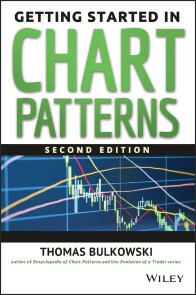
Chart pattern analysis is not only one of the most important investing tools, but also one of the most popular. Filled with expert insights and practical advice from one of the best in the business,Getting Started in Chart Patterns, Second Edition helps new and seasoned traders alike profit by tracking and identifying specific chart patterns.
Substantially revised and expanded, this new edition stay true to the original, with author Thomas Bulkowski's frank discussion of how trading behavior can affect the bottom line. Interwoven throughout the technical presentations are fascinating anecdotes drawn from the author's quarter-century as a professional trader that vividly demonstrate how one of the best in the business leverages the power of chart patterns.
- Includes additional charts for ETFs and mutual funds
- Introduces more than 40 key chart formations, as well as trading tactics that can be used in conjunction with them
- Supplies actual trades, with their corresponding dollar amounts
If you're looking to gain a better understanding of this discipline, look no further than theSecond Edition ofGetting Started in Chart Patterns.
Über Thomas N Bulkowski
THOMAS BULKOWSKI is a successful investor with more than thirty years of experience trading stocks. He is also the author of Encyclopedia of Candlestick Charts and Encyclopedia of Chart Patterns. His work has appeared in magazines such as Technical Analysis of Stocks& Commodities, SFO, Active Trader, The Technical Analyst, The Trader's Journal, and Traders'. Before earning enough from his investments to "retire" from his day job at age 36, Bulkowski was a hardware design engineer with Raytheon and a senior software engineer for Tandy Corporation.
Inhalt
Preface to First and Second Editions ix
Acknowledgments xi
Chapter 1 Introduction to Chart Patterns 1
Chapter 2 Identifying Chart Patterns 7
Chapter 3 The Truth about Trendlines 17
Chapter 4 Support and Resistance 35
The Most Important Chart Patterns
Chapter 5 Ten Buy Signals 53
Chapter 6 Ten Sell Signals 119
Chapter 7 Special Situations 191
Chapter 8 Busted Patterns 225
Making Money by Trading Failure
Chapter 9 More Trades 255
Putting It All Together
Chapter 10 The Art of Trading 285
Checklists
Chapter 11 Crunching the Numbers 323
Glossary 327
Visual Index of Chart Patterns 333
About the Author 339
Index 341
E-Book Informationen
Alle E-Books, die mit einem harten Kopierschutz versehen sind, werden ab diesem Zeitpunkt ausschließlich mit Readium LCP anstelle von Adobe DRM ausgeliefert.